You hit "Print," walk away, and return to find your 3D model covered in ugly, spiderweb-like strings. Your first instinct is to tweak slicer settings. But in over 80% of cases, the real culprit isn't your printer—it’s wet filament.
Standard materials like PLA, PETG, and TPU act like sponges, actively absorbing moisture from the air. When wet filament hits a 200°C+ nozzle, that water boils and explodes, causing uncontrollable oozing and stringing.
3 Warning Signs Your Filament is Wet
-
The "Popping" Sound: Faint crackling noises from your nozzle during printing.
-
Brittle Plastic: Filament snaps easily like a dry twig when bent.
-
Ruined Surfaces: Tiny bubbles, rough walls, or severe stringing on your prints.
⚠️ Avoid the Kitchen Oven Myth: Never dry filament in your kitchen oven. Temperature spikes can easily melt your entire spool into a useless plastic lump.
How to Fix Stringing for Good
Step 1: Adjust Slicer Settings (The Quick Fix)
-
Increase Retraction: Bump up retraction distance by 0.5mm – 1.0mm.
-
Lower Temp: Drop nozzle temperature by 5°C – 10°C to reduce oozing.
Step 2: Use the Ultimate Cure (The Real Solution)
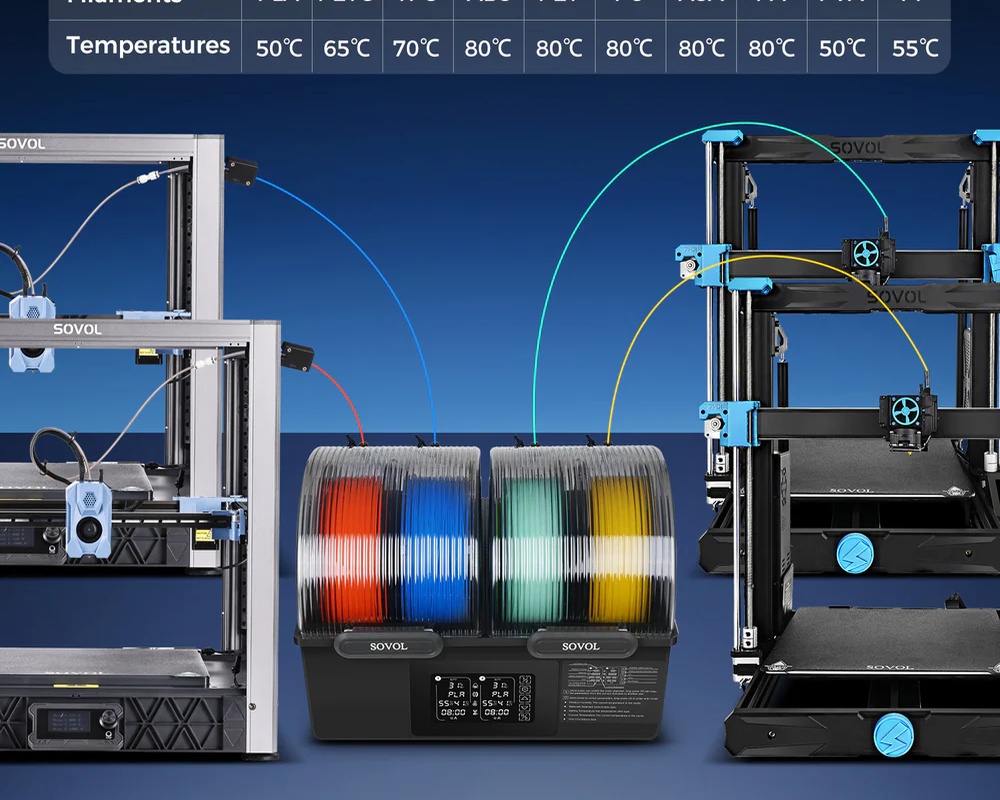
To stop guessing and start printing reliably, you need a dedicated tool. The Comgrow/Sovol Filament Dryer Box takes the guesswork out of the equation with precise temperature control, drying your filament safely without deforming the spool.
-
Dry & Print Simultaneously: Don't wait hours to print. The Comgrow Dryer Box features built-in outlet holes, feeding dry filament directly into your printer (perfectly compatible with Creality, Sovol, and more).
-
Save Money & Time: Ruining just 2 or 3 spools of premium filament costs more than a dedicated dryer. Prevent failed prints and stop wasting material.
🎁 Limited Offer: Use code SQ3NL27R at checkout for 10% OFF your Comgrow Dryer Box today! Shop Now